Bean-to-Cup Machine Maintenance: Complete Guide 2026
Complete maintenance guide for bean-to-cup coffee machines: descaling, grinder cleaning, milk circuit, recommended frequency, and products to extend the life of your machine.
Bean-to-Cup Coffee Machine Maintenance: The Complete Guide 2026
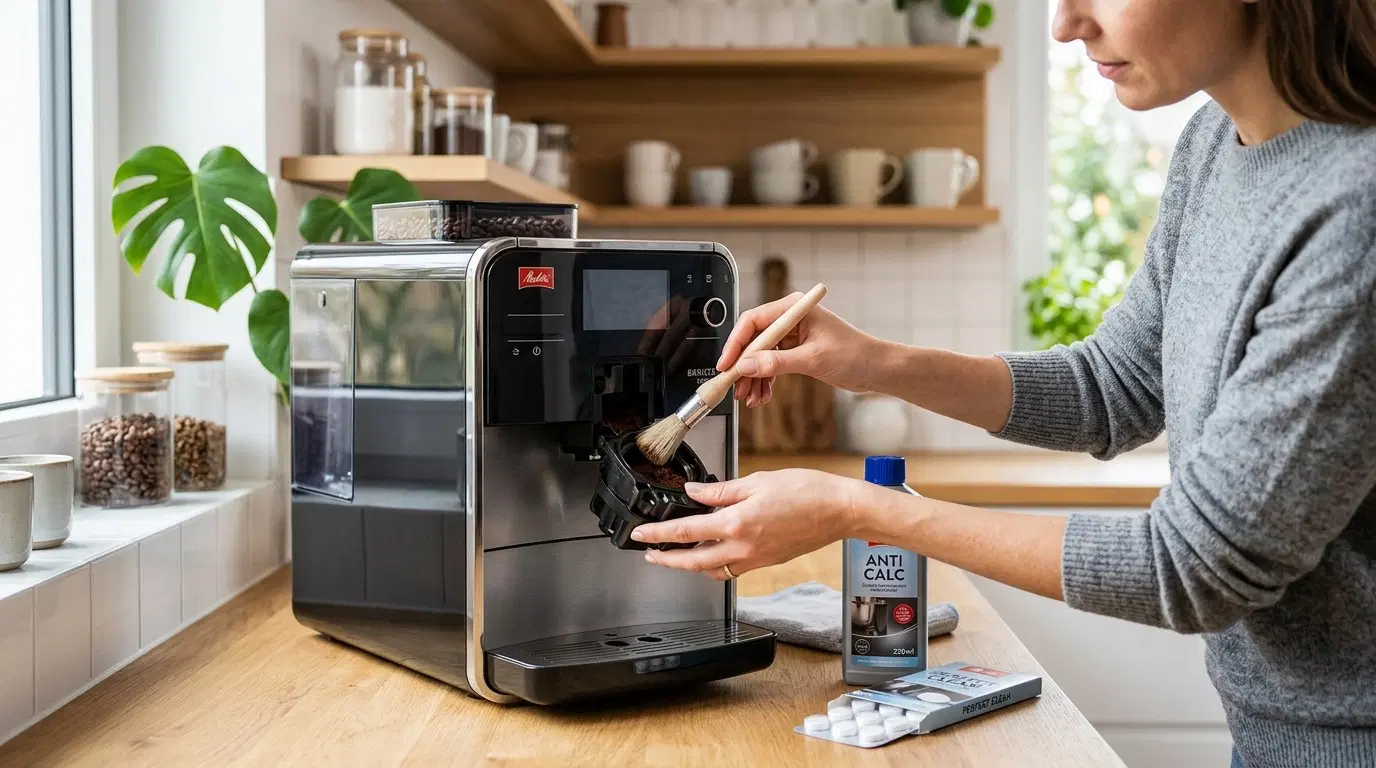
A poorly maintained bean-to-cup machine means coffee that tastes bitter, premature breakdowns, and potentially voided warranties. This guide explains how to properly maintain your bean-to-cup machine so it lasts 10+ years.
Why Maintenance Is Crucial
Bean-to-cup coffee machines face two main enemies:
- Limescale — Deposits in water circuits, reduces extraction pressure, and can block pipes
- Coffee oils — Oxidize within hours and give your coffee a bitter, rancid taste
Regular maintenance prevents both problems and doubles the lifespan of your machine.
Recommended Maintenance Schedule
Daily (2-3 minutes)
- Empty the coffee grounds container when full (usually every 10-14 coffees)
- Rinse the steam wand after preparing milk-based drinks
- Run the built-in rinse program (most machines offer this automatically)
- Empty and rinse the drip tray
Weekly (10-15 minutes)
- Clean the coffee grounds container with hot water
- Disassemble and clean the milk system (for machines with a cappuccino maker)
- Wipe the exterior of the machine with a damp cloth
- Check the water tank level
Monthly (20-30 minutes)
- Coffee machine cleaning program with appropriate tablets
- Milk circuit cleaning with disinfectant solution
- Grinder inspection — clean if necessary
Every 2-3 months (depending on water hardness)
- Full descaling with specific product
- Check seals and wear parts
- Recalibrate the grind if the coffee taste has changed
Essential Products
Coffee Machine Cleaning Tablets
🛒 De'Longhi Eco MultiClean Tablets — ~€9.99
These tablets dissolve coffee oil residue in internal circuits. Compatible with most automatic machines. 1 tablet every 2-4 weeks depending on usage.
🛒 Universal Saeco/Philips cleaning tablets — ~€8.50
Practical format, compatible with Philips, Saeco, and similar brand machines.
Descaling Liquid
🛒 De'Longhi EcoDecalk descaling liquid — ~€11.99
The official De'Longhi descaler, formulated to preserve rubber seals and circuits. One bottle typically provides 2 descaling cycles.
🛒 Urnex Dezcal universal descaler — ~€14.99
Compatible with all brands, neutral formulation without corrosive acid.
Milk Circuit Cleaning Products
🛒 Jura milk circuit cleaning tablets — ~€9.50
Designed to remove encrusted milk residue from circuits. Essential if you make cappuccinos regularly.
🛒 Urnex Rinza milk cleaning solution — ~€12.99
Enzymatic liquid solution that breaks down milk fats. More effective than tablets for heavily loaded circuits.
Grinder Cleaning Tablets
Special tablets that pass through the grinder and absorb oily residue. Used like normal coffee beans.
Step-by-Step Descaling Guide
Descaling is the most important — and most often neglected — operation. Here's how to do it correctly.
When to Descale?
Your machine will alert you automatically (indicator light or screen message). If it doesn't, descale:
- Monthly with very hard water (> 25°F hardness)
- Every 2 months with moderately hard water (15-25°F)
- Every 3 months with soft water (< 15°F)
How to check your water hardness? Consult your municipality's annual water quality report on your local government website, or buy a test kit (~€5).
General Procedure
- Empty the machine — grounds container empty, drip tray rinsed
- Prepare the solution — dissolve the descaler in the water tank (follow product proportions)
- Start the program — use the machine's automatic descaling program (DON'T improvise)
- Wait — the cycle typically takes 20-30 minutes
- Rinse — run 2-3 tanks of clear water to remove descaler residue
- Verify — make a test espresso
Warning: Never interrupt a descaling cycle in progress. If descaler remains in the circuits, it can damage the seals.
Grinder Maintenance
The grinder is the heart of your machine — it's where everything begins. A poorly maintained grinder produces bitter, foul-smelling coffee.
Signs Your Grinder Needs Cleaning
- Coffee tastes bitter or rancid without apparent reason
- Grind seems inconsistent
- Old coffee smells emanate from the machine
- Grinder makes unusual noises
How to Clean Your Grinder
For automatic machines (NEVER open yourself):
- Use grinder cleaning tablets (Urnex Grindz or equivalent)
- Run the machine's grinder cleaning program (if available)
- Then run 10g of your usual beans to flush out tablet residue
For semi-auto machines with accessible grinder:
- Disassemble the grinder according to the manual
- Brush the burrs with the supplied brush (or a clean small toothbrush)
- Never use water on the grinder
- Reassemble and check the grind setting
Milk System Maintenance
If your machine makes cappuccinos, the milk circuit is the most fragile component. Milk leaves fatty residue that oxidizes quickly.
Golden Rule: Clean Immediately After Use
After each cappuccino:
- Run the automatic milk circuit rinse program
- Run the steam wand in a glass of hot water
Every week:
- Disassemble the milk system (wand or carafe depending on the model)
- Soak the parts in hot soapy water for 15 minutes
- Rinse thoroughly
- Run a milk cleaning solution through the circuit
Milk Systems by Brand
- De'Longhi (Cappuccino System): Removable, hand-washable parts
- Philips (LatteGo): Entire carafe is dishwasher-safe — the easiest
- Jura (Fine Foam): Very effective automatic cleaning program
- Melitta: Built-in milk cleaning program
Maintenance Mistakes to Avoid
| Mistake | Consequence | Solution |
|---|---|---|
| Using white vinegar | Damages seals, persistent odors | Specific descaler only |
| Neglecting the grounds container | Mold, machine blockage | Empty every 10-14 coffees |
| Not cleaning the milk circuit | Bacteria, altered taste | Clean after each use |
| Interrupting descaling | Corrosive residue in circuits | Always complete the cycle |
| Using hard tap water | Frequent descaling needed | Filter water or use soft mineral water |
| Ignoring machine alerts | Premature breakdown | Respond to alerts within 48 hours |
Extending Lifespan: Advanced Tips
Use Filtered Water
Hard water is enemy #1 of coffee machines. Investing in a water filter (Brita, built-in Philips AquaClean) can reduce descaling frequency by a factor of 3 and significantly extend the machine's lifespan.
🛒 Brita filters for coffee machines — ~€12
Don't Leave the Machine Idle for Too Long
If you won't use your machine for more than 2 weeks:
- Run a complete rinse cycle
- Empty the water tank entirely
- Leave the compartment door open to prevent mold
Regularly Calibrate the Grind
The ideal grind changes depending on:
- The type of coffee used (more or less dense beans)
- Ambient humidity (summer vs. winter)
- Burr wear (after 2-3 years, burrs dull slightly)
If your coffee has become bitter for no reason, try reducing the grind fineness by one notch.
FAQ
How often should you descale a bean-to-cup coffee machine?
On average every 2-3 months, but it depends on your water hardness. With very hard water (> 25°F), descale monthly. Always use your machine's automatic descaling program and appropriate tablets.
Can you use white vinegar to descale?
No, it's strongly advised against using white vinegar in a bean-to-cup machine. Acetic acid can attack rubber seals and leave persistent odor residues. Only use descaling products specifically designed for coffee machines.
How do you clean the grinder on an automatic machine?
For automatic machines, never use liquid in the grinder. Use grinder cleaning tablets (like Urnex Grindz) or run a few untreated rice grains through to absorb residue. Most modern machines have an automatic grinder cleaning program.
My machine has been making bitter coffee for a few weeks, what should I do?
Bitter coffee is often a sign of insufficient maintenance. Start by running the rinse program, then the coffee machine cleaning program. If the problem persists, descale the machine and clean the grinder. Also check the grind setting — too fine = over-extracted coffee = bitter.
How much does annual maintenance cost for a bean-to-cup machine?
Expect €20-40 per year for maintenance products: cleaning tablets (€10/box of 10), descaling liquid (€8-15 per bottle). Some machines include initial sachets in the box. It's a minimal investment for a machine that can cost €350-1000.
📧 Never miss a coffee deal
Sign up to get our expert reviews and promo alerts straight to your inbox.
🔒 Join 5,000+ readers — By signing up, you agree to our privacy policy.
Articles similaires

Christmas Coffee Gift Guide 2026: Best Ideas to Give
Christmas 2026 coffee gifts: the best capsule machine sets, bean-to-cup machines, premium coffee beans and barista accessories. Selection by budget, with the lowdown on Black Friday deals.
Lire l'article →
2026 Study: The Real Cost of a Cup of Coffee at Home
What does a cup of coffee at home really cost in 2026? Study based on real prices: automatic bean 0,28 €, capsules 0,55 €, filter 0,47 €, moka 0,36 €. Bean machine vs capsules break-even: 17 months.
Lire l'article →
Best Coffee Beans 2026: Tested in Real Conditions
Best coffee beans 2026: Lavazza, illy, Nespresso Original and compatible capsules put to the test. Selection by use, budget and machine — the guide to choosing a coffee that changes your daily routine.
Lire l'article →